


Any Video Converter
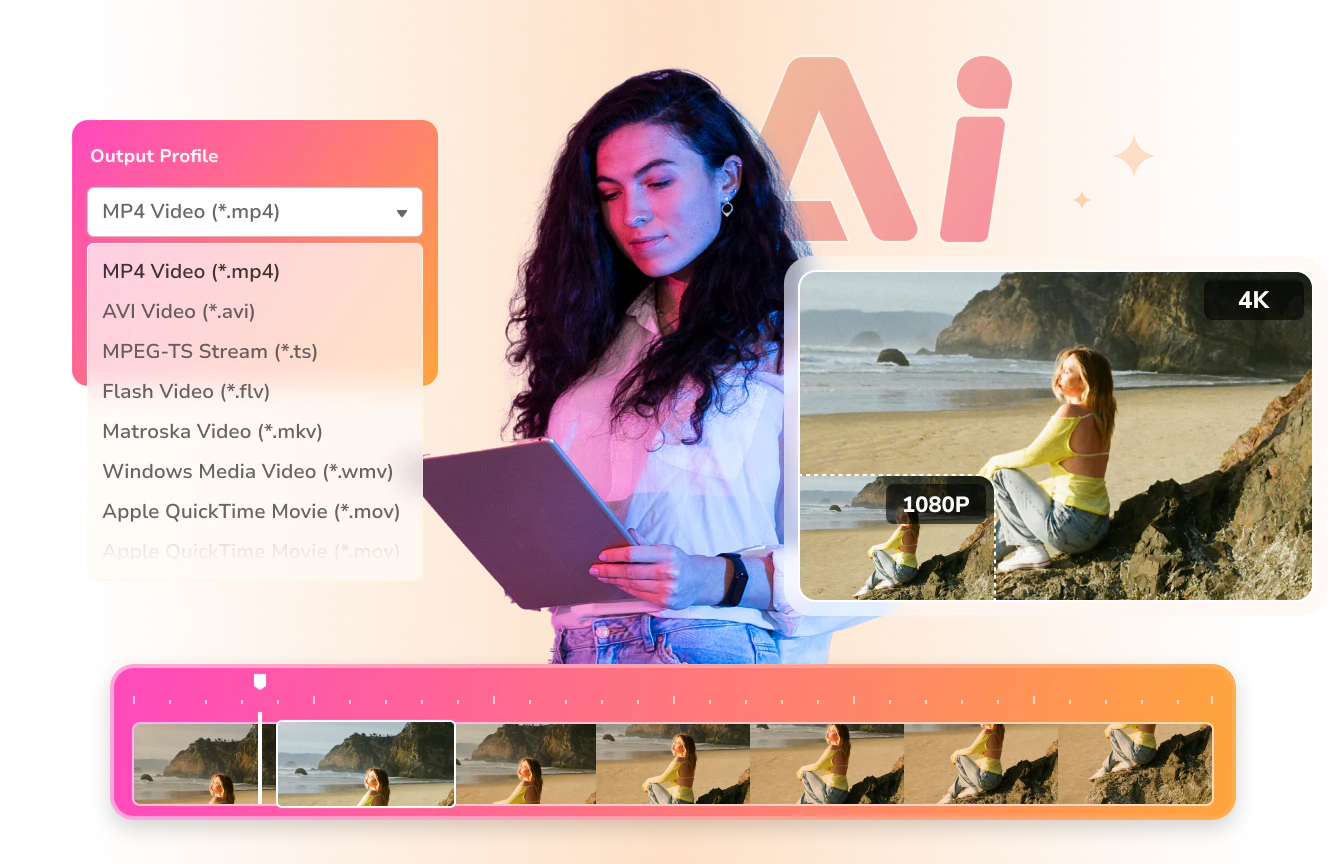
All-in-one video converter, video downloader, video compressor, AI video enhancer, AI image/video generator, and video editor.
- Built-in AI tools to streamline and enhance your workflow
- Upscale low-res videos to HD, 4K, and even 8K
- Auto-generate images and videos with prompts
- Auto-transcribe audio and video to accurate text
- Auto-split lengthy video into smaller segments
- Auto-extract vocals and instrumentals from audio


Available for:
What's New for Any Video Converter
V9.2.5
August 10, 2026
- Fixed an incorrect audio playback issue when adding files to the Trim Video tool.
- Fixed an issue where changes to presets were not saved correctly.
- Fixed display issues in the built-in browser, improving page loading and interaction performance.
- Added automatic file renaming for Video Download.
- Added advanced options to Format Convert, including scan type, deinterlace, display aspect ratio, scaling mode, video bitrate mode, and more.
- Improved overall performance.
V9.2.4
July 16, 2026
- Lightning-Fast Video Conversion: We added a new "Auto (Match Source)" option that uses your original video's codec to speed things up dramatically.
- Introducing the Audio Merger: Easily combine multiple audio tracks into a single, seamless track.
- Clip Merging & Reordering: You can now reorder your trimmed clips and merge them into one video before exporting.
- Bug Fixes: Fixed minor bugs and optimized performance.
V9.2.3
June 12, 2026
- Fixed video download engine auto-update failures.
- Added custom speed control support in the speed change tool.
- Added support for downloading YouTube AI-generated subtitles.
- Added support for preserving original audio stream in the format convert tool (e.g., Dolby Atmos, DTS:X).
- Fixed other bugs and improved overall performance.
V9.2.1
May 20, 2026
- Added support for the Seedance 2.0 video model in AI video generator.
- Added CPU processing support for AI video enhancer.
- Optimized the Trim video tool for both AI and manual trimming.
- Fixed known bugs and improved overall performance.
V9.2.0
April 29, 2026
- Added support for DVD/CD import in the format convert, compress video, and merge video tools.
- Added "Denoise", "Anime", and "Face Enhancement" models to the AI video enhancer tool.
- Optimized the speech to text tool for better control over sentence segmentation and maximum segment duration.
- The add subtitles tool now supports text stroke and background fill.
- Improved video download success rate.
- Other bug fixes and performance improvements.
V9.1.10
April 17, 2026
- Fixed the "get mediaprop failed" error occurring when adding media files.
- Resolved the "Download failed" error in some circumstances.
V9.1.9
April 16, 2026
- Fixed an issue where users were logged out and failed to re-register after updating to V9.1.8 (Windows only).
V9.1.8
April 8, 2026
- Format conversion tool now supports preserving PGS, WebVTT, and DVDSub subtitles.
- Added support for selecting or deleting specific audio tracks and subtitles before conversion.
- Added prompt reference in AI generation tools.
- General performance improvements and bug fixes.
V9.1.7
February 13, 2026
- Added optimized conversion presets for Apple, Android, TV, and gaming consoles.
- Added MPEG4 encoding for MP4/MOV, plus support for M4R and WAV audio formats.
- New options to keep original FPS, resolution, or both during video compression.
- Upgraded the advanced model in the Speech to Text tool to improve accuracy.
- Added "Fast" and "Normal" trim modes for better editing control.
- General bug fixes and UI enhancements for a smoother experience.
V9.1.6
January 23, 2026
- Added AI image generation and video generation tools.
- AI video enhancer now supported Intel B580 graphics cards.
- Fixed other minor bugs.
V9.1.5
November 19, 2025
- Introduced timeline editing in trimming and merging.
- Refined crop tool for smoother interaction.
- Smarter playlist downloads: choose a single file or a full list.
- Added MP4 (H.264) download for wider compatibility.
- Improved download tool success rate.
V9.1.4
September 15, 2025
- Add the AI video enhancer tool in the Ultimate version.
- Improve the video download success rate.
- Optimize the task queue for a better experience.
- Fixed an issue where video resolution was detected incorrectly, causing conversion failures.
- Fix other minor bugs.
V9.1.3
August 11, 2025
- Support built-in web browser.
- Support searching videos by keywords.
- Fix video parsing failure for login-required content.
- Add AV1 encoding support for video compression.
- Other bug fixes and performance optimization.
V9.1.2
July 7, 2025
- Fixed the issue of antivirus software flagging false positives.
- Fixed the issue of inaccurate language track matching in video download.
- Fix video recording issues related to multiple monitor setups, ensuring accurate screen capture on the main display.
- Fix other bugs.
V9.1.1
May 28, 2025
- Optimize the video downloading feature.
- Fix the issue of YouTube video download failure.
- Support hardware acceleration for AV1 encoding.
- Support 130x ultra-fast conversion.
- Add the custom bitrate and frame rate for video conversion and merging.
- Support downloading videos to specific formats: MP4, MKV, MP3, WAV, and FLAC in the Pro version.
- Supports downloading multiple audio tracks in the Pro version.
V9.1.0
April 7, 2025
- The Video Download tool supports fast parsing of the playlist URL and selecting a specific video to download.
- Support renaming the video to be downloaded.
- The Trim Video tool supports automatic scene detection and segment clipping.
- Support to preserve the conversion timestamp.
- Automatically shut down the computer after the conversion is completed.
V9.0.9
March 7, 2025
- Support downloading age-restricted content and private videos.
- Fix the bug of failed parsing.
- Fix the timeout issue of parsing.
V9.0.8
February 11, 2025
- Update the download engine.
- Other bug fixes.
V9.0.7
January 24, 2025
- Add support for Danish and Punjabi in the Speech-to-Text tool.
- Fix issues in video conversion and download.
- Add support for directly parsing all files by selecting a folder.
- Optimize the Interface for better visual effects.
- Other features improvements and other bug fixes.
V9.0.6
December 19, 2024
- Fix the issue preventing renaming of downloaded videos.
- Add Additional Content Library to manage AI tool model files.
- Expand support to include over 20 file formats and add a prompt for detecting unsaved content.
- Merged the Free, Pro and Ultimate versions; optimize built-in video player.
- Other bug fixes.
V9.0.5
November 13, 2024
- Speech-to-Text mode supports processing audio files.
- Other bug fixes.
V9.0.4
October 9, 2024
- Add the aspect ratio settings to the Format Convert tool.
- Task queue card information optimization.
- File list card information optimization.
- Optimize the track information of the Video Download tool.
- Other bug fixes.
V9.0.3
September 6, 2024
- Add the Dark Mode.
- Support viewing the progress of subtasks in the Task Queues.
- Other bug fixes.
V9.0.2
August 13, 2024
- UI optimizations and bug fixes.
V9.0.1
July 26, 2024
- Optimize the Format Convert, Video Download and Compress Video tool.
- Support adding video files to the Audio Filter tool.
- Automatically open output folder after the video conversion is completed.
- Support trimming the video by inputting the duration.
- Other UI optimizations and bug fixes.
V9.0.0
June 13, 2024
- Change a brand-new interface for a smoother user experience.
- Optimize the Format Convert tool to allow users to save output configuration.
- Support previewing the added subtitle in real time.
- Add 7 transition effects to the Merge Video tool and support previewing the video merging effect.
- Support separately changing the output directory of each tool.
V8.2.6
March 26, 2024
- Optimize the downloader tool to support right-click menu.
- Add plug-in tool AI Audio Splitter.
- Other bugs fix.
V8.2.5
February 6, 2024
- Added microphone recording function.
- Optimize the Screen Record tool.
- Embed two third-party online audio and video editing tools.
- Other bugs fix.
V8.2.4
December 20, 2023
- Add the AI-automated audio to subtitles converter tool.
- Optimize the Crop Video tool.
- Optimize the Workflow tool.
- Other bugs fix.
V8.2.3
November 10, 2023
- Add the Burn DVD feature.
- Add system-level notifications, which can be directed to history records.
- Fix the problem that dragging material is not smooth when using the Video Overlay, Add Watermark, GIF Make tool.
- Optimize the start and end time selection tool under the Trim Video function.
- Other UI optimizations and bug fixes.
V8.2.2
October 9, 2023
- Brand new Workflow tool that can freely connect all tools and flexibly adjust the workflow.
- Optimize the downloader tool to support downloading subtitles.
- Other UI optimizations and bug fixes.
V8.2.1
August 14, 2023
- Support dark mode in the user interface.
- Optimize the video downloader tool, screen recorder tool, and video merger tool.
- Optimize the downloader tool to support downloading subtitles.
- Brand new Workflow tool that can freely connect all tools and flexibly adjust the workflow.
- Other UI optimizations and bug fixes.
V8.2.0
July 12, 2023
- Optimize the main interface.
- Optimize the Video Downloader and Track Extract tool.
- Add new tools: Add Video, Add Audio and Add Subtitles.
- Other bug fixes.
V8.1.5
June 16, 2023
- Add 4 new tools: video speed changer, video compressor, screen recorder, and webcam recorder.
- Optimize the video converter tool.
- Other UI adjustment.
V8.1.4
May 11, 2023
- Addition of a registration module for users to unlock some premium features.
- Optimize the video downloader tool.
- Add the video downloader tool into the Workflow tool.
- Add the option to select video, audio, and subtitle tracks in Workflow tools.
- Fix other bugs.
V8.1.3
April 11, 2023
- New dynamic UI which allows users to drag and rearrange the tools as needed.
- Add the support for video-to-audio conversion.
- Fix other bugs.
V8.1.2
March 30, 2023
- Add a watermark tool with image and text options, including features like resizing and font customization.
- Add manual settings for video downloader tool to customize the download option.
- Optimize startup time and fix other bugs with a new development framework.
V8.1.1
February 23, 2023
- Update the download engine.
- Add a Video Enhancer AI tool.
- Fix other minor bugs.
V8.1.0
February 10, 2023
- Add the History feature to view the previous records.
- Add new tools of GIF Maker and Color Adjustment.
- Optimize the user interface.
- Fix other minor bugs.
V8.0.0
December 28, 2022
- New Video Converter featured Single Tools and Custom Assembly Tools.
V7.1.7
June 21, 2021
- Update the download engine.
V7.1.5
November 16, 2021
- Fixed the problem of YouTube downloading failure on 32-bit machines.
V7.1.4
November 10, 2021
- Update the download engine.
V7.1.3
June 7, 2021
- Update the download engine.
V7.1.1
April 2, 2021
- Update the download engine.
- Fix the failed issue of downloading the playlist.
V7.1.0
March 5, 2021
- Fix the failed issue when converting DVDs.
- Fix the crashing issue when converting videos.
- Update the download engine.
V7.0.9
January 13, 2020
- Update the download engine.
- Fix the video clipping issue: the output video in the wrong duration after clipping.
V7.0.8
January 8, 2020
- Fix the converted AVI files will not play on devices.
- Fix the problem that the conversion process finishes under 1 second and results in a file that is 0 bytes.
- Fix the blacked-out error when trying to edit music information.
- Update Czech language pack.
- Update the download engine.
V7.0.7
October 12, 2020
- Fix the crash error with the audio cutting.
V7.0.6
September 30, 2020
- Fix the problem that the thumbnail is blank when downloading videos.
- Fix the problem that the conversion process finishes under 1 second and results in a file that is 0 bytes.
- Update the download engine.
V7.0.5
August 18, 2020
- Fix the problem that the conversion process finishes under 1 second and results in a file that is 0 bytes.
- Optimize video editing features.
- Fix the problem that you can not rename the file on the main panel.
- Update the download engine.
V7.0.4
July 28, 2020
- Fix the problem that the conversion process finishes under 1 second and results in a file that is 0 bytes.
- Update the download engine.
V7.0.3
July 3, 2020
- Fix the issue that the app would not open in some circumstances.
- Adopt Constant Quality for H264 encoding to improve the output quality and in small file size.
V7.0.2
June 28, 2020
- Add Inter QSV for H264/H265 video encoding.
- Enhance other features.
- Fix some minor bugs.
V7.0.1
June 4, 2020
- Fix the problem that the conversion process finishes in under 1 second and results in a file that is 0 bytes.
- Update the download engine.
V7.0.0
May 20, 2020
- Fix the issue that the CUDA Acceleration can not be activated.
- Support to download HD and 4K videos from online.
- Improve the performance of program and fix some minor bugs.
V6.3.4
October 15, 2019
- Fix the conversion issue under Huawei P20 output profile.
- Update the download engine.
- Fix some minor bugs.
V6.3.3
October 15, 2019
- Fix the issue of error report from antivirus or security program.
- Update the download engine.
V6.3.2
May 31, 2019
- Automatically adjust the interface zoom ratio according to the display resolution (DPI).
- Update the download engine.
- Fix other minor bugs.
V6.3.1
March 12, 2019
- Automatically identify the proxy servers.
- Fix the issue "failed to download videos" under Japanese.
- Update the download engine.
- Add the output profile for Samsung Galaxy S10, iPhone XS and more.
- Update Dutch language.
V6.3.0
January 22, 2019
- Fix some random crash issues that happens on downloading video or music.
V6.2.9
January 9, 2019
- Optimize the video download feature: support downloading 1080p and 4K video.
- Update the registration information as Name/Email + Code.
V6.2.7
October 12, 2018
- Update the download engine.
- Fix "Download Music Files Failed" issue.
V6.2.4
May 30, 2018
- Fix the incomplete conversion issue when h.265 CUDA Acceleration launched.
- Fix the issue of no audio when selecting "Manually Select" option to download online videos.
- Update the download engine.
- Update Greek language.
V6.2.3
March 23, 2018
- Add an output format for Samsung Galaxy S9 and S9 Plus.
- Modify the Turkish language pack.
- Fix some bugs when clipping videos.
V6.2.1
December 20, 2017
- Fix the crash problem when clipping some videos.
- Add the automatic shutdown option on conversion panel.
- Fix the error for subtitles encoding.
- Update the download engine.
V6.2.0
October 31, 2017
- Fix the bugs when adding external subtitles to video.
- Set the lowest position value of subtitles from 0 to -20.
V6.1.7
August 22, 2017
- Add feature for an estimate of time left on conversion.
- Fix the abnormal exit problem when deleting DVD items.
- Update the download engine.
V6.1.6
July 25, 2017
- Update the download engine.
- UI optimizing.
V6.1.5
June 28, 2017
- Update the download engine.
- The DVD burning supports large hard disks.
V6.1.3
May 5, 2017
- Add the option for Facebook account logging in when downloading Facebook videos.
- Add output formats for Samsung, LG and Huawei.
- Update the download engine.
- Update Hungary language package.
- Fix some other minor bugs.
V6.1.2
April 12, 2017
- Fix the crash problem when the added files contain special characters.
- Update the download engine.
V6.1.1
March 27, 2017
- Fix the crash problem when adding videos to burn DVD.
V6.1.0
March 24, 2017
- Fix the bug of incomplete thumbnail display and editing for music files.
- Fix the error on downloading online videos. Add the feature of download music files only from video URLs.
- Fix the incomplete display error when adding multiple audios and subtitles.
- Update the download engine.
V6.0.8
January 24, 2017
- Fix the issue of Analysis Failed when downloading videos.
V6.0.7
December 13, 2016
- Fix the issue of error reporting from Anti-virus program.
- Fix the crash issue when converting DVD to AVI, codec with Xvid, setting video size to original.
- Fix the issue of Analysis Failed when downloading videos.
- Update the download engine.
V6.0.0
August 26th, 2016
- Optimize GPU acceleration.
- Fix the issue that DVD template does not support CJK output path.
- Fix the issue that video format can not be switched correctly when converting a particular video file.
- Fix the crash issue when full-screen playing videos via AVC program built-in video player.
V5.8.4
September 18th, 2015
- Update the download engine.
- Add output profiles for iPhone 6s, iPhone 6s Plus, iPad mini4, iPad Pro.
- Fix some other bugs.
V5.7.0
September 18th, 2014
- Optimize user interface and fix some minor bugs.
- Add "Burn DVD" tab for more convenient DVD burning.
- Allow to burn DVD with DVD menu added.
- Add iPhone 6, iPhone 6 Plus, Samsung Galaxy Note 4 to output profiles list.
V5.0.3
February 5th, 2013
- Fix the bug that failed to download some videos.
- Support customizing video size.
- Add "Huawei, ZTE, PS Vita, Sony Tablet, Sony Xperia, HTML5, iPHone 5, iPad Mini " as supported output profile formats.
- Fix the bug that failed to merge and convert M4V files to mpg output format.
V3.3.3
January 16th, 2012
- Add "HTML5 Embed Video" as supported output formats.
V2.5.8
March 12, 2008
- Supports "Drag&Drop" to rearrange source files list.
- Supports merging video files as a single output video.
- Adds X264/H264 vide encoding for MP4 profiles.
- Adds a new video output profile for customized MP4 output.
V2.5.1
December 06, 2007
- Adds more program options.
- Changes to new GUI (Graphic User Interface) for better user experience.
- Supports more output video profiles.
V2.2.0
July 02, 2007
- Fixes bug concerning network error download.
- Adds WMV and AVI output profiles.
V2.0.2
June 16, 2007
- It supports converting video to MP3 Audio.
V1.2.5
March 19, 2007
- Refines GUI design.
- Fixes bug concerning video quality loss for 16:9 video output.
V1.2.1
February 02, 2007
- Supports "Drag & Drop" video files to the program.
- Adds cellular phone profile for 3GP MP4 video out formats.
- More configurable parameters for video outputs.
- Refines decode/encode engine for faster converting speed and better video quality.
V1.0.1
March 12, 2008
- Supports importing DV, MPG, M1V, M2V video files.
- Fixes some minor bugs.
V1.0.0
September 28, 2006
- Converts all video formats to Apple iPod Video, Sony PSP and more.
- User-friendly interface that is easy to use.
- Batch convert any video formats including avi, wmv, asf, mpg, mp4, etc.
- Support default video/audio settings or user customized parameters for video and audio.
- Supports adjust many video/audio options for MP4 files. For example, video/audio sample rate, bit rate, video size.